 Cyber Stealth
A place for every project
Folders, colors, icons, tags and notes bring structure to a growing profile library.
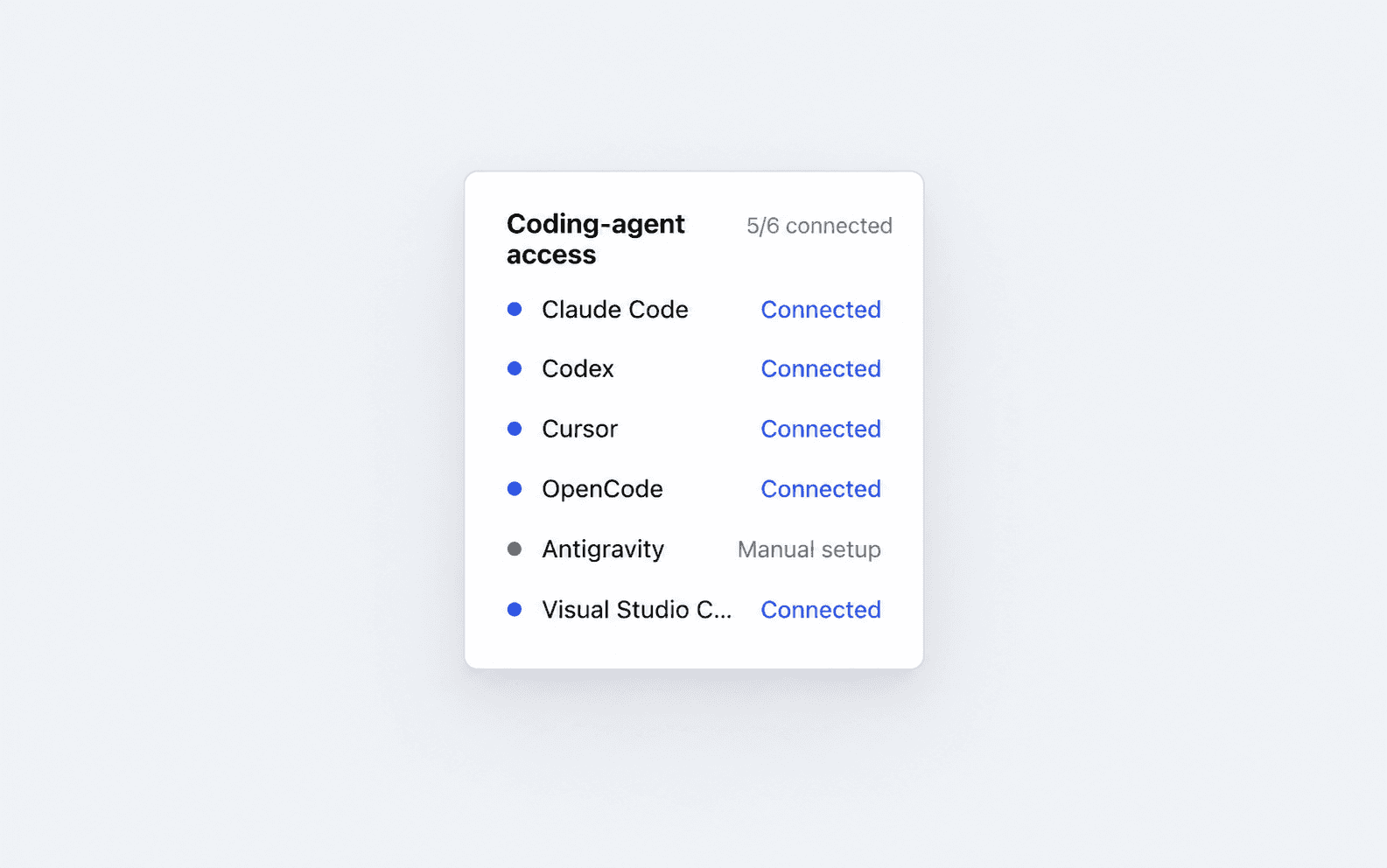
 Your browser profiles. Your AI tools. Connected.
From a prompt to a browser workflow
Ask your agent to create a workspace or open an existing one. Each account gets its own cookies, storage and device identity.
Example instruction“Create a separate browser profile for my store research.”
An actual MCP run
Open the workspace. Fill the brief.
Verify the result. Watch the agent do it.
Recorded in a Cyber Stealth profile using MCP. Local demonstration form; no social account or external submission.
The agent opens the campaign brief, enters the project name, channel, campaign goal and review note, then selects Save draft. The page confirms Draft saved. The agent verifies that result and closes the profile.
What will you hand over?


Keep each client’s social accounts in a separate profile. Ask your agent to research topics, prepare drafts and fill in routine details while you review what goes live.
Inside your workspace
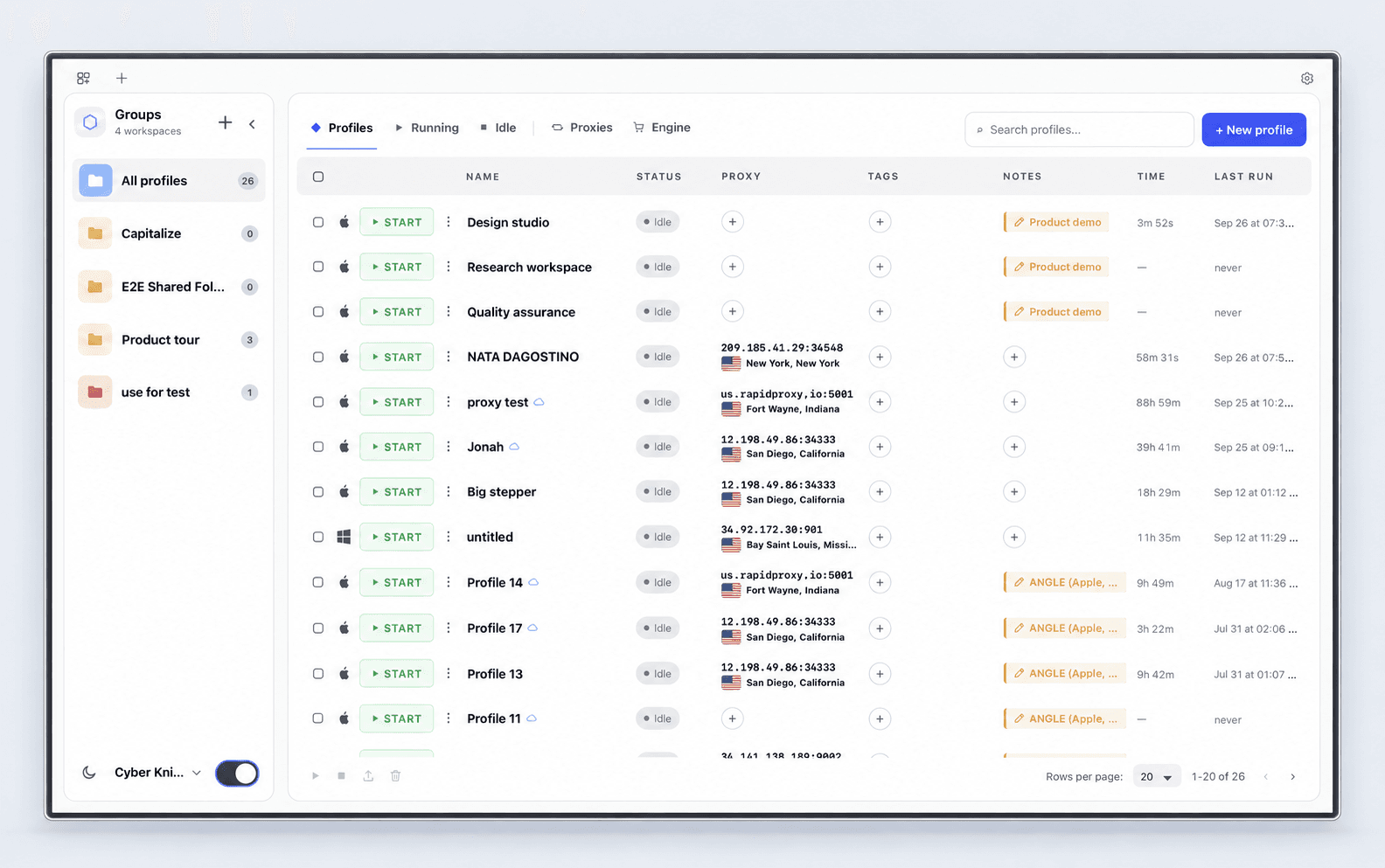
Organize accounts, tune fingerprints and check connections from one launcher.
Profiles, folders, connection details and running status in one place.
The product, in motion
Profiles, fingerprints, proxies and MCP.
Take the 28-second tour.
Edited product compositions from actual launcher captures. Silent film with captions.
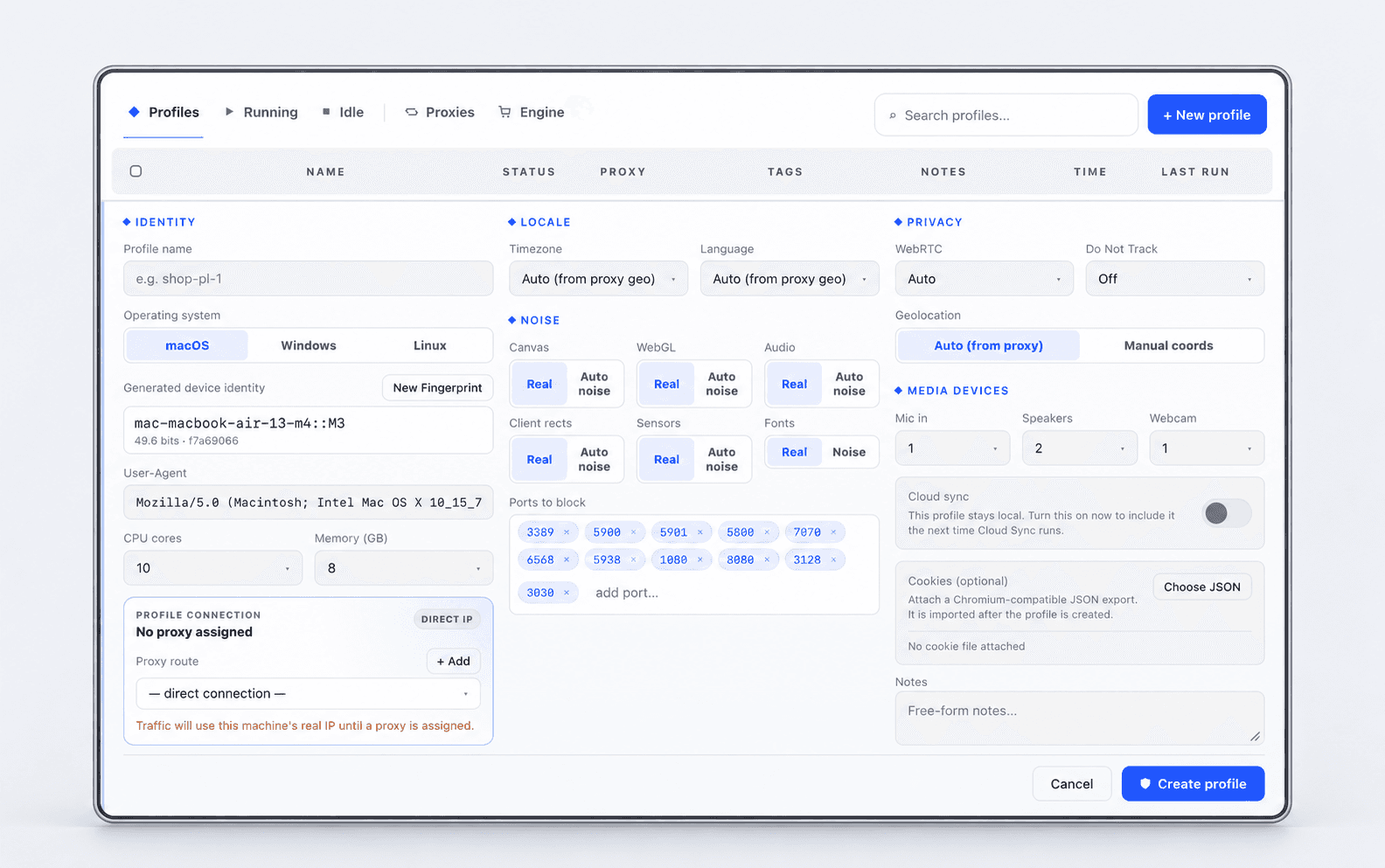
Profile identity
Generate a device identity for each profile. Keep it stable between sessions, with control over the signals a website can read.
Network visibility
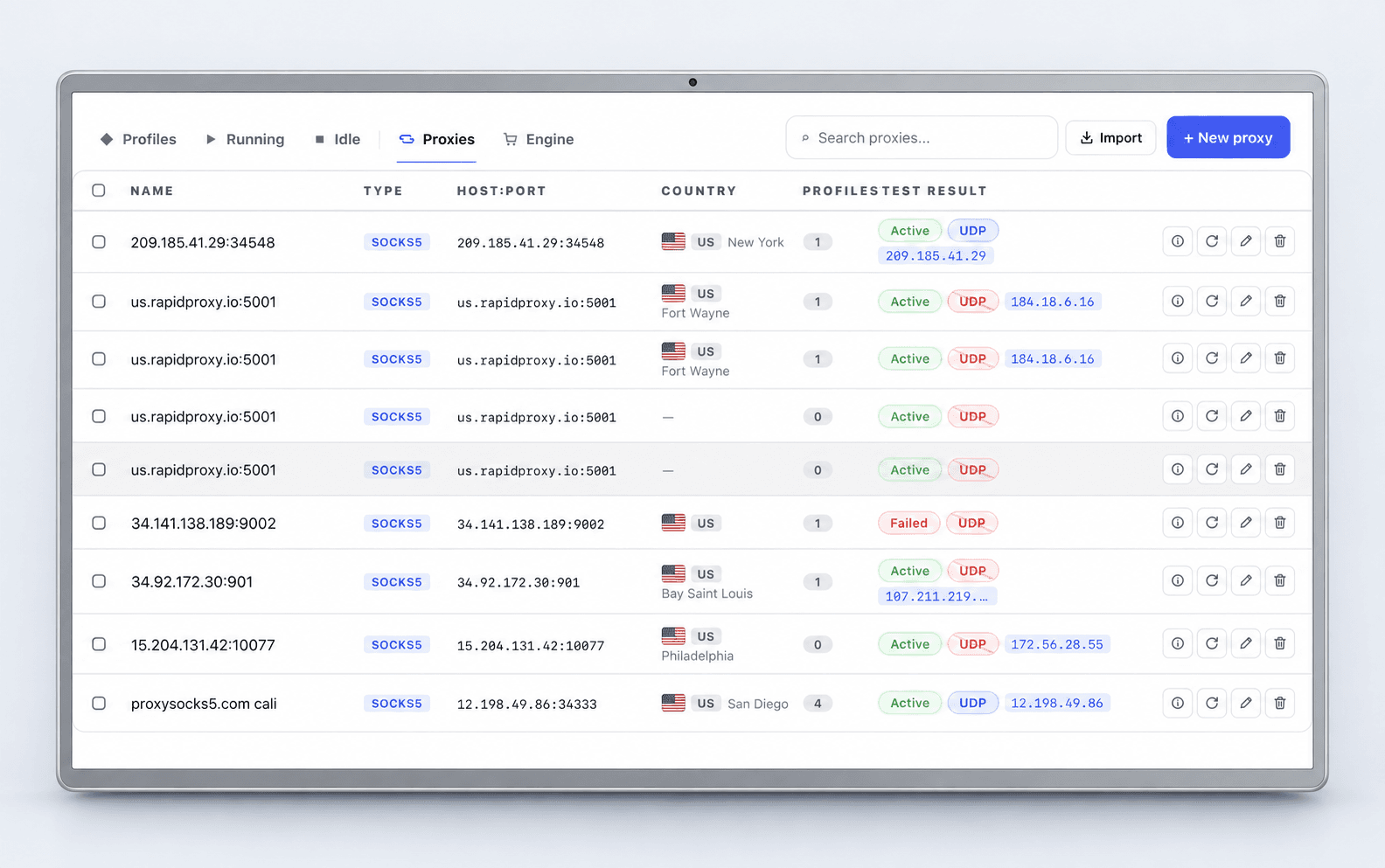
Check the connection, location and UDP capability before you work. Assign a proxy to a profile and see what’s available at a glance.
UDP availability depends on your proxy provider and runtime.
A real browser check
This Cyber Stealth session returned 100% fingerprint authenticity and “No Detection” in BrowserScan.
One captured configuration. Results vary by profile, proxy, website and test conditions. This is not a guarantee of undetectability.
View the original test capture ↗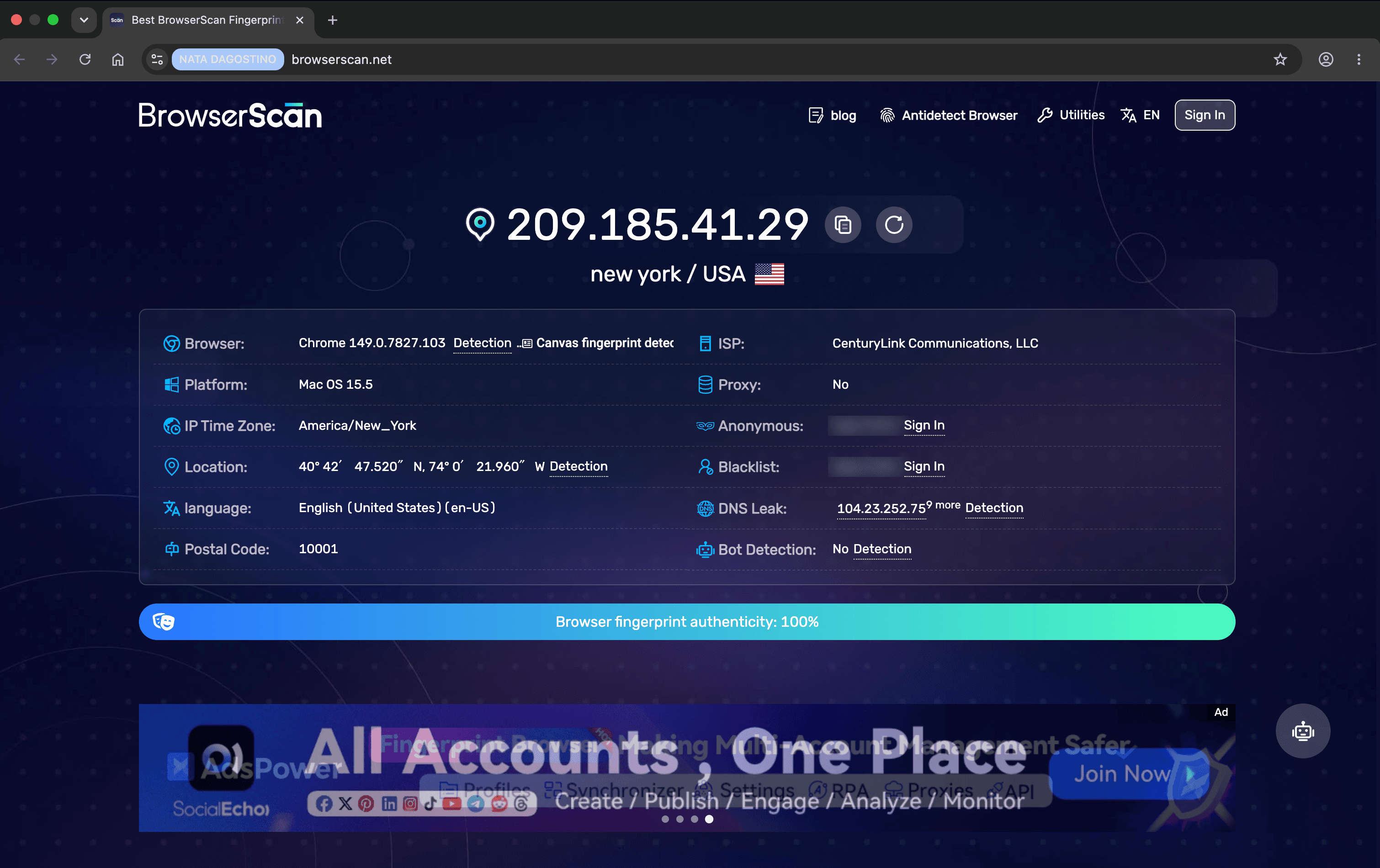
Room to grow
Folders, colors, icons, tags and notes bring structure to a growing profile library.
Keep a profile on your device, or enable encrypted cloud sync and account-based sharing.
Use the authenticated local API and MCP server for supported browser workflows.
Start your next workspace
10 profiles. Free forever.
Download, create your account and start.
Downloads are currently unavailable.
For licences, setup questions and feature requests, talk directly with us.
Before you start
Create a verified account and keep up to 10 browser profiles, free forever, without a licence key. The allowance is shared across your devices, with one browser session at a time. Contact us when you need more profiles.
Each profile has its own cookies, browser storage and generated device identity. Fingerprint generation checks for duplicate identities in your account’s local ledger, while the profile keeps its identity stable between launches.
Cyber Stealth probes whether a SOCKS5 proxy supports a UDP relay and displays the result separately from its connection status. A working TCP connection does not imply UDP support. Your proxy provider and the selected browser runtime determine what traffic can use that relay.
No browser can guarantee that. Fingerprint consistency, proxy quality, configuration and website checks all matter. The BrowserScan example on this page is one captured result, not a guarantee for every profile or website.
Yes. The launcher supports a local, authenticated MCP connection for tools including Codex, Cursor, Claude Code and OpenCode. Your AI provider is separate. You choose what to connect and supervise sensitive actions.
Profiles can stay local, or you can enable encrypted cloud sync and use account-based sharing. Folders, tags and notes help keep work organized.
Contact @cyberKigntpro on Telegram. Tell us the number of profiles you need, your operating system and how you work.